
9 Box Grid: How to Use It for Fair Talent Reviews
by Ryan Stoltz
Last updated
7 min read
Table of contents
- What is the 9-box grid?
- What do the nine boxes in the grid mean?
- How do you run a 9-box talent review?
- How do you place employees on the 9-box grid fairly?
- What are the pros and cons of the 9-box grid?
- What are the alternatives to the 9-box grid?
- How does the 9-box grid support succession planning and employee development?
- FAQs
Share this article
When leadership asks for a talent review, HR often automatically reaches for the 9-box grid. At first, this talent management tool may seem straightforward: Think about the person's performance and potential, then place them in one of the categories. Easy and objective, right?
Too often, though, the 9-box exercise turns meetings into heated debates. Managers rely on their gut to rate potential, so the same employee ends up with drastically different placements on the grid.
The more you try to reach a consensus, the more obvious it becomes that everyone has a different definition for each category, and, more importantly, each manager brings a different perspective.
It's fair to question whether the 9-box method is still useful for HR teams as part of modern talent management. Is it outdated? Too subjective? Too reliant on placing people into categories?
The 9-box grid can still be useful for distinguishing performance from potential, but how organizations use it matters. This guide breaks down what those 9 boxes actually mean and how to use this tool to run fair, calibration-based talent reviews.
We'll also give an honest read of its limits and suggest alternative tools for the modern workplace.
What is the 9-box grid?
The 9-box grid, also known as the performance-potential matrix, is a 3 x 3 talent matrix that plots an employee's current performance (x-axis) against their future potential (y-axis). Organizations often use this tool to get a snapshot of where their employees are at a given moment and project how suited someone may be for a higher-level position.
While HR teams have used the 9-box grid for countless employee performance reviews, it didn't start out as an employee analysis tool. According to “Enduring Ideas: The GE–McKinsey nine-box matrix,” McKinsey originally developed this matrix in the early 1970s to help General Electric decide how to prioritize its investments.
Later, it became a go-to assessment tool for leaders making talent decisions.
What do the nine boxes in the grid mean?
The nine boxes categorize an employee's performance and potential using three scores: low, moderate, and high. The boxes in the lower left-hand corner are for employees with low potential and low performance, while workers with high potential and high performance fall in the upper right-hand corner. Most employees land somewhere in the middle.
While organizations may have different labels and criteria for each box, many generally use similar terminology. According to “Talent Management and the 9-Box Grid – What You Must KnowOpens in a new tab,” by the Talent Management Institute, common labels include:
Note: These categories represent assessments at a particular moment, not permanent judgments about an employee's abilities or future potential.
How to read the grid at a glance, with example outputs
The columns of a 9-box talent grid measure performance, while the rows track potential. The farther right an employee is, the stronger their current performance. Meanwhile, movement up the chart means that the worker shows more growth potential for the future.
A steady expert, for instance, might land in the trusted professional box. They consistently thrive in their role (high performance) but aren't interested in moving higher up the career ladder (low potential).
On the other hand, a newer hire may get decent results (moderate performance) and have volunteered for special projects (high potential). Managers could label them as a growth employee because they seem to have the capacity to move up.
Another team member has been with the company for 10 years, but their productivity has recently declined. Their manager may assess their current performance as low (low performance and low potential), but should investigate the reasons before making assumptions about their future potential.
How do you run a 9-box talent review?
If you decide to use the 9-box performance grid, start by spelling out the criteria for each box with your leadership team. You should also run a calibration session to make sure everyone is on the same page. Once leaders begin rating employees, encourage them to challenge each other's scores, then create action plans for their teams based on the conclusions.
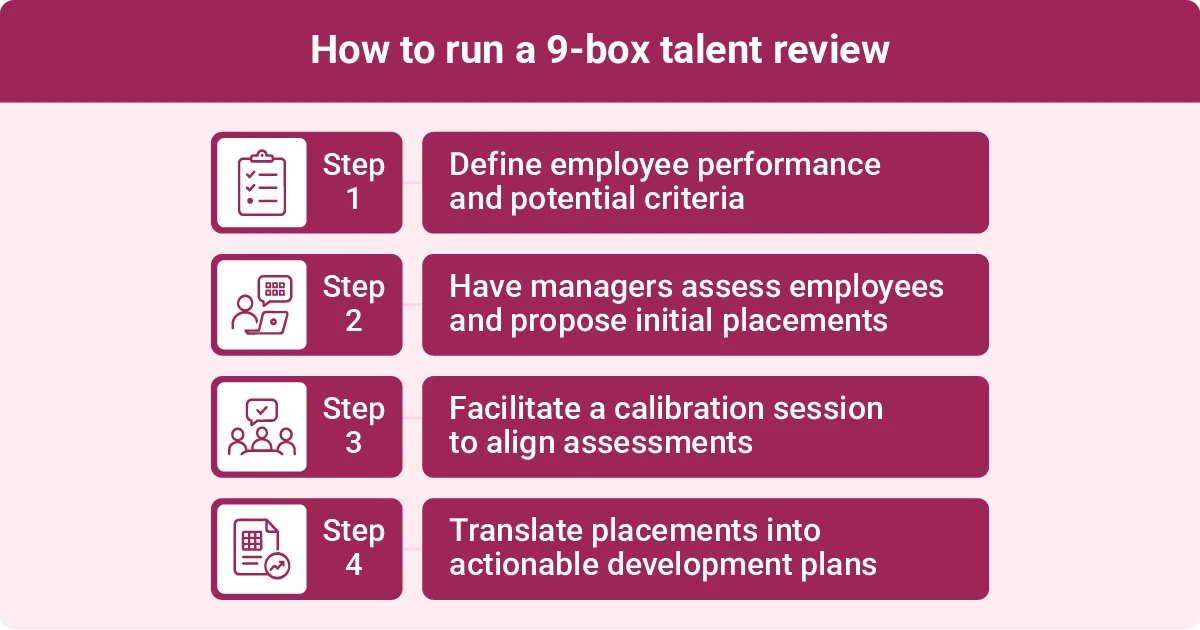
Step 1: Agree on what employee performance and potential mean
A 9-box talent assessment is only useful if everyone works from the same definitions. Otherwise, one person might only consider productivity when rating performance, while another takes the time to look at the quality of each employee's projects.
Both people are technically assessing performance, but their ratings might be wildly different, even when contributing to the same performance review process.
Before your talent review meeting, take the time to outline the criteria for each axis of the matrix.
For performance, that might include:
- Customer satisfaction scores
- Error rates
- Goal attainment
- Number of sales
- Peer feedback
- Productivity
Potential isn't as easy to measure, but these criteria can help you evaluate it:
- Adaptability
- Capacity for ambiguity
- Learning agility
- Problem-solving skills
Step 2: Manager pre-work and draft placements
They should also gather evidence to back up each placement. If they categorize an employee as an enigma, they might show how quickly the individual learned a new tool or describe a challenging project they took on. This sort of specific evidence is more objective than relying on intuition.
Step 3: Facilitate the calibration session
The 9-box exercise works best when it's a debate, not just circling boxes on a worksheet. Of course, that doesn't mean that your talent review team should argue over every rating.
Instead, encourage managers to challenge each other's placements with evidence. That can take some of the emotion out of the conversation and keep the focus on the employees' actual work. By requesting specific examples to resolve disagreements, you'll also decrease the risk of personal bias.
Step 4: Turn placements into actions
Even future leaders can benefit from mentorship and training. Use the 9-box grid template to create talent development plans that can be associated with each box. For example, you might offer to pay for a certificate for growth employees. Meanwhile, underperformers might get a training refresher and weekly check-ins with a manager.
The 9-box matrix also supports strategic workforce planning. Look for high-potential employees who could fill future leadership gaps with a little training. Recognition software can further help you identify and reward moderate and high performers whose contributions may get overlooked.
Consider how you want to handle underperformers as well. You might agree to revisit their performance after a few months of training or move them into a different role.
Set a deadline and assign an owner for each decision. That way, you can make sure your placements actually get put to use instead of filed away in a drawer.
How do you place employees on the 9-box grid fairly?
Anchoring each rating with specific behavioral evidence helps you assess employee potential and rate employees fairly using the 9-box grid. Using the same evaluation criteria for similar roles and training raters to recognize unconscious bias also makes this method more objective.
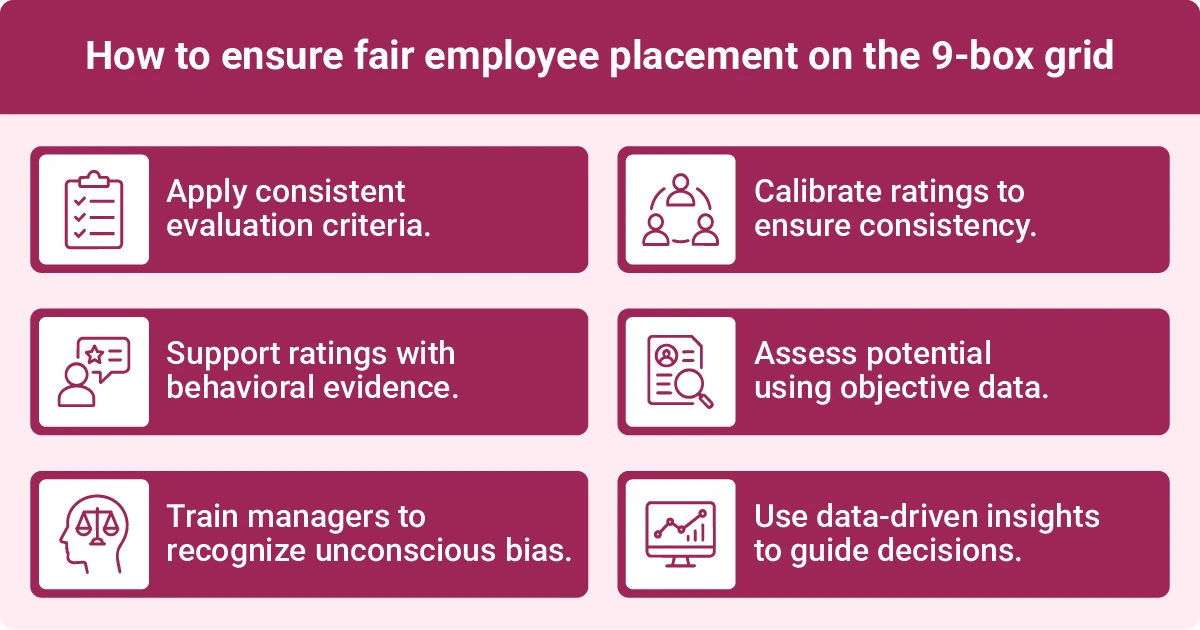
Adopt these fairness practices when you use the 9-box grid:
- Keep evaluation criteria consistent: Use the same metrics to assess performance and potential for employees in similar roles. That way, you're not cherry-picking criteria based on who you're evaluating.
- Require concrete evidence: General impressions don't translate when using the 9-box method. Raters should back up each placement with behavioral evidence, such as meeting goals and output.
- Educate managers about common biases: Implicit biases can influence how leaders rate employees. For instance, the halo effect may cause raters to focus on a single positive trait and ignore someone's flaws. Likewise, recency bias might lead to ratings that only reflect recent encounters. Another example is affinity bias, which is the tendency to favor people with similar characteristics to your own. While it's impossible to fully eliminate biases, learning how to recognize them can help raters make more consistent decisions.
- Calibrate the results to spot outliers: Bring all the raters together to compare placements and challenge any significantly different ratings.
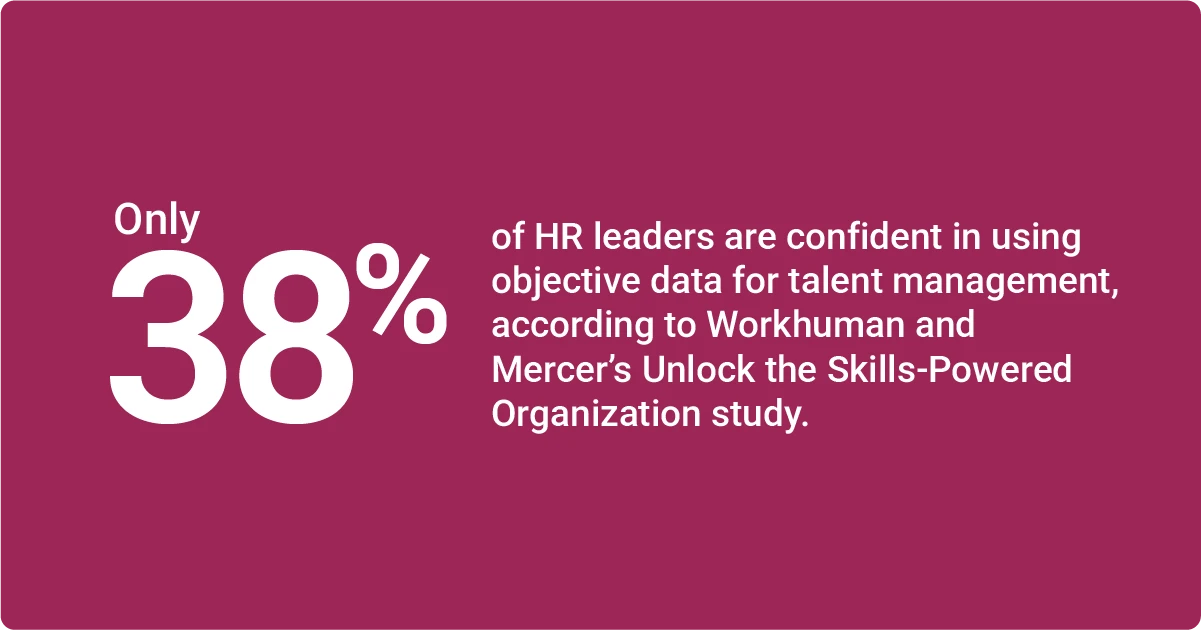
- Take extra care when rating potential: According to a Workera survey, “7 out of 10 employees dangerously underestimate or overestimate their skill levels, new analysis finds,” 71% of employees can't accurately judge their skill level. Encourage managers to base their placements on observed behavior and objective data, not self-assessments (or worse, gut feelings).
What are the pros and cons of the 9-box grid?
Two of the biggest benefits of using the 9-box method are that it gives managers common ground for evaluating talent and supports strategic workforce planning. However, it may create bias and favoritism if your HR team doesn't put safeguards in place.
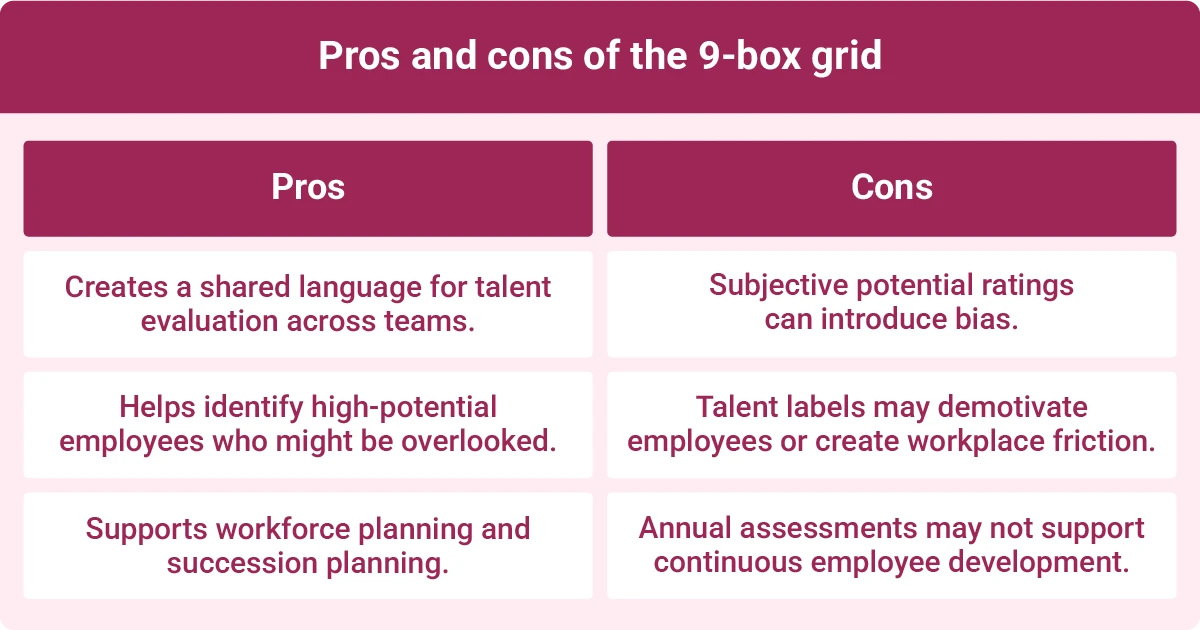
Pros of the 9-box grid include:
- Creates a shared language for talking about talent across different roles and departments.
- Makes it easier to spot hidden talent that might otherwise go unnoticed.
- Supports workforce and succession planning.
Critics of this method sometimes call it outdated. While that's not necessarily true, the 9-box grid does have a few cons:
- Potential ratings often rely on subjective judgments, which may create opportunities for bias.
- Labels can leak to employees, which may demotivate them or cause friction between colleagues.
- Often used as a once-a-year snapshot, which may not be a good fit for organizations trying to develop continuous feedback cultures.
Despite these drawbacks, the 9-box method can support effective talent management strategies if you pair it with calibration, tangible evidence, and follow-through. If your organization only uses it as an annual box-filling ritual, consider other tools.
What are the alternatives to the 9-box grid?
There are many alternatives to the 9-box performance grid, including the skill-will matrix, continuous performance snapshots, and talent marketplaces. However, many organizations choose to modernize the 9-box grid with data-driven approaches instead of completely discarding it.
Here's a closer look at other options:
- The skill-will matrix rates an employee's current abilities against their willingness to learn. It works best for frontline coaching decisions, such as deciding who can take on a stretch assignment.
- Continuous performance snapshots are lightweight check-ins that happen at least quarterly. Use them to provide frequent feedback instead of relying on the annual grid.
- Talent marketplaces help match employees with internal opportunities based on their skills rather than annual rankings. Consider this option if succession planning is a top priority.
- Data-driven software gathers behavioral and recognition data continuously, including skills signals. One example is Workhuman iQ®, which analyzes employee recognition data to surface insights into skills, contributions, and collaboration patterns. These insights can complement traditional performance assessments and inform talent development decisions.
Many organizations modernize the 9-box instead of replacing it. Consider keeping the shared language but using skills intelligence to identify skills from recognition language. This concrete data can complement subjective potential ratings.
How does the 9-box grid support succession planning and employee development?
The 9-box grid supports the succession planning process and development by helping you identify employees who could step into critical roles in the future. Create an action plan for people in each ranking, and revisit placements frequently instead of scheduling annual reviews.
Start by creating a default development plan for each box. For example, you might offer coaching to growth employees and shout-outs to trusted professionals.
You can also use the results to support your existing succession planning. Use the top-right boxes to identify potential succession candidates for leadership roles and estimate when employees will be ready to step up, supporting future planning.
FAQs
Is the 9-box grid worth the effort?
Yes, the 9-box grid for talent evaluation can be worth the effort if you take the time to coach raters, organize calibration sessions, and require managers to make decisions based on evidence. You can use the results for development and succession planning.
What are common challenges in a 9-box talent review, and how do you solve them?
Unconscious bias is one common challenge in a 9-box talent review. You can reduce this risk by educating raters about different types of bias, such as the halo effect. Another obstacle is subjective judgments, which calibration can help challenge and reduce.
Can you build a 9-box grid without special software?
Yes, you can create a 9-box grid using only a whiteboard or a piece of paper and a pencil. If you'd rather build a digital version for your raters, you can use simple tools like Microsoft Excel or Google Sheets.
What did McKinsey originally design the 9-box grid for?
McKinsey originally created the 9-box grid to help General Electric evaluate different business units and decide how to invest its resources wisely. HR teams across industries have since adopted the tool to rate employees based on their performance and potential.

Ryan Stoltz
Ryan is a search marketing manager and content strategist at Workhuman where he writes on the next evolution of the workplace. Outside of the workplace, he's a diehard 49ers fan, comedy junkie, and has trouble avoiding sweets on a nightly basis.
Recommended for you